What is RAG? A Simple Guide for Business Owners
RAG explained without the jargon. Learn what retrieval-augmented generation is, why it matters for your chatbot, and how to get it without hiring engineers.
You added an AI chatbot to your website. A customer asked about your return policy. The chatbot confidently told them you offer 60-day returns. Your actual policy is 30 days.
This is the hallucination problem. The AI wasn't lying on purpose. It simply didn't have access to your actual return policy, so it made up something plausible. This happens because most AI chatbots answer from general training data, not from your specific business documents.
The fix has a name: Retrieval-Augmented Generation, or RAG. Every technical article about RAG is written for developers. This one isn't. If you're a business owner evaluating chatbot tools and you want to understand why some chatbots make things up while others cite your actual documentation, this is the guide.
What is RAG? The 60-Second Version
Think of it as an open-book exam.
A regular AI chatbot takes a closed-book test. It answers every question from memory. The problem is its "memory" is a snapshot of the internet from months ago. It knows nothing about your pricing, your policies, or your product catalog. So it guesses. Sometimes it guesses right. Often it doesn't.
RAG gives the AI an open book. Before answering any question, the AI searches your documents, finds the relevant passages, reads them, and then generates an answer based on what it actually found. It's not guessing anymore. It's referencing.
That's it. That's what retrieval-augmented generation means. The "retrieval" part finds your content. The "generation" part writes the answer. The "augmented" part means the generation is improved by the retrieval.
When you upload your FAQ document to a chatbot platform like Canary, you're using RAG. You just didn't know it had a name.
How RAG Actually Works (No Code Required to Understand This)
Here's the process in plain English, using the librarian analogy that makes it click for most people.
Step 1: You give the librarian your books
You upload your website content, PDFs, product documentation, FAQ pages, return policies. Whatever you want the chatbot to know. This is "the library."
Step 2: The librarian organizes them
The platform splits your content into small passages (chunks) and converts each one into a numerical fingerprint called an embedding. These embeddings are stored in a vector database. You don't need to know what any of that means. The important part: your content is now searchable by meaning, not just by keywords.
Step 3: A customer asks a question
"What's your return policy for opened electronics?"
Step 4: The librarian finds the right pages
The AI searches your indexed content and pulls the most relevant passages. Not a keyword match. A meaning match. If your return policy page says "opened items may be returned within 30 days for store credit," that passage gets retrieved even though the customer didn't use those exact words.
Step 5: The AI reads those pages and answers
The language model reads the retrieved passages and generates a natural-language answer grounded in your actual content. It can cite the exact source document so the customer can verify the answer themselves.
Here's the same process shown as a technical pipeline:
The entire process takes under two seconds. The customer sees a helpful, accurate answer. Your support team doesn't get a ticket.
RAG vs. Fine-Tuning: Which Do You Need?
This is the question that confuses most business owners evaluating AI tools. Vendors throw both terms around. Here's the honest breakdown.
Fine-tuning changes the AI model itself. You feed it thousands of examples and the model adjusts its internal weights. Think of it as retraining an employee's brain. It's expensive ($500 to $50,000+ per training run), takes weeks, and the model can still hallucinate because it memorized patterns rather than referencing facts.
RAG doesn't change the model at all. It gives the model access to your documents at answer time. Think of it as giving the employee a reference manual. It's cheap (effectively free to update), takes hours to set up, and hallucination drops dramatically because the AI reads your content before responding.
| Fine-tuning | RAG | |
|---|---|---|
| What it does | Changes how the AI model works | Gives the AI access to your documents |
| Update your content | Retrain the model (days, expensive) | Edit your docs (minutes, free) |
| Cost to set up | $500 to $50,000+ | Included in most chatbot platforms |
| Accuracy on your specific data | Good at style, poor at facts | Excellent at specific facts |
| Hallucination risk | Higher (memorizes patterns) | Lower (reads source material) |
| Time to deploy | Weeks | Hours |
| Best for | Changing the AI's tone or personality | Answering questions about your business |
The bottom line: if you want your chatbot to know your pricing, your policies, and your product specs, you need RAG. Fine-tuning is for changing how the AI talks (tone, style, personality), not what it knows. For 95% of business chatbot use cases, RAG is the right answer.
For a deeper comparison, see our detailed guide to training a chatbot on your website.
Why This Matters for Your Business
A chatbot that confidently gives wrong information is worse than no chatbot at all. One wrong answer about pricing, shipping times, or return policies erodes trust faster than a slow response does.
The stakes are measurable. Research from Gartner shows that 75% of customers who receive incorrect information from an automated system will not return to that channel. A chatbot that hallucinates your pricing doesn't just give a wrong answer — it actively drives customers away from what should be your fastest support path.
RAG changes this equation by grounding every response in your actual documentation. The AI isn't generating creative fiction about your business. It's reading your content and answering based on what it found. When it can't find a relevant passage, a well-configured RAG system admits that instead of guessing.
Here's how the numbers shift when RAG is done right:
- Support deflection: RAG-powered chatbots deflect 40–70% of incoming queries because they can actually answer product-specific questions. Generic chatbots without RAG hover at 10–20% deflection — barely worth deploying.
- Lead conversion: Visitors who get accurate, specific answers to their pre-purchase questions are 3x more likely to convert than those who get a generic "please contact us" response.
- Trust signals: Source citations — showing the visitor exactly which help article or policy document the answer came from — increase chatbot trust ratings by 25–35% in user studies.
- Reduced escalation cost: Every hallucinated answer that a human agent later corrects costs $15–$60 in support labor plus the goodwill damage. RAG doesn't eliminate escalation, but it dramatically reduces unnecessary escalation caused by bad AI answers.
If you're investing in a chatbot, RAG is what makes the investment pay off. For context on the actual numbers, see our chatbot ROI analysis.
How RAG Performs Across Different Industries
RAG isn't a one-size-fits-all technology. Its effectiveness depends heavily on the quality and structure of the documents you feed it. Here's how it plays out across common verticals.
E-commerce
RAG excels at product-specific questions: "Does this jacket come in XL?", "What's your return window for sale items?", "Is this compatible with my existing setup?" When trained on product descriptions, size guides, shipping policies, and FAQ pages, a RAG chatbot can handle the repetitive pre-purchase questions that make up 60–70% of e-commerce support volume.
Where it struggles: RAG pulls from static documents, so real-time inventory queries ("Is this in stock right now?") require an integration layer on top of RAG, not RAG alone. Same for order tracking.
Professional services (law, finance, consulting)
Firms with extensive documentation — intake questionnaires, practice area descriptions, fee structures, process guides — see strong results. A RAG chatbot trained on a law firm's practice pages can pre-qualify leads by asking the right questions and matching them to the right attorney.
Where it struggles: Client-specific confidential information should never be in the training corpus. RAG works with public-facing documentation, not case files.
Healthcare
Appointment scheduling, insurance verification, and general health information benefit from RAG trained on patient-facing content. Clinics report that RAG chatbots handle 45–55% of incoming patient inquiries without staff involvement.
Where it struggles: HIPAA compliance adds constraints. The RAG system must avoid storing or surfacing protected health information (PHI) in conversation logs. Choose a platform with data retention controls.
SaaS and technology
This is RAG's sweet spot. SaaS companies typically have well-structured documentation: API references, getting-started guides, feature comparison pages, pricing tables, changelogs. A RAG chatbot trained on this content becomes a 24/7 product specialist that can answer "How do I set up webhooks?" as accurately as your senior support engineer.
Where it struggles: Rapidly changing documentation (daily releases, frequent feature deprecation) requires automated re-indexing. A RAG system trained on documentation from three months ago is answering questions about a product that no longer exists.
Restaurants and hospitality
Menu items, hours, reservation policies, dietary accommodations, event packages. The documentation is simpler but the questions are highly repetitive. RAG chatbots trained on restaurant content resolve 60–80% of inquiries because the knowledge base is compact and well-defined.
Where it struggles: Real-time availability (table bookings, room availability) requires API integration beyond pure RAG.
5 Things to Look For in a RAG-Powered Chatbot
If you're evaluating chatbot tools, these five features tell you whether the platform actually uses RAG properly or is just wrapping a generic AI in a widget.
1. Multiple training sources. You should be able to train from URLs, uploaded files (PDF, CSV, DOCX), and manual Q&A pairs. A platform that only accepts one type is limiting your knowledge base coverage.
2. Source citations. When the chatbot answers a question, it should show which document the answer came from. This builds trust with your visitors and lets you verify accuracy. If the platform doesn't show sources, you can't tell whether it's retrieving or hallucinating.
3. Confidence threshold. A good RAG implementation lets you set a confidence score. When retrieval confidence falls below your threshold, the chatbot admits it doesn't know instead of guessing. This is the difference between a chatbot that occasionally says "I don't have that information" (honest) and one that confidently makes things up (dangerous).
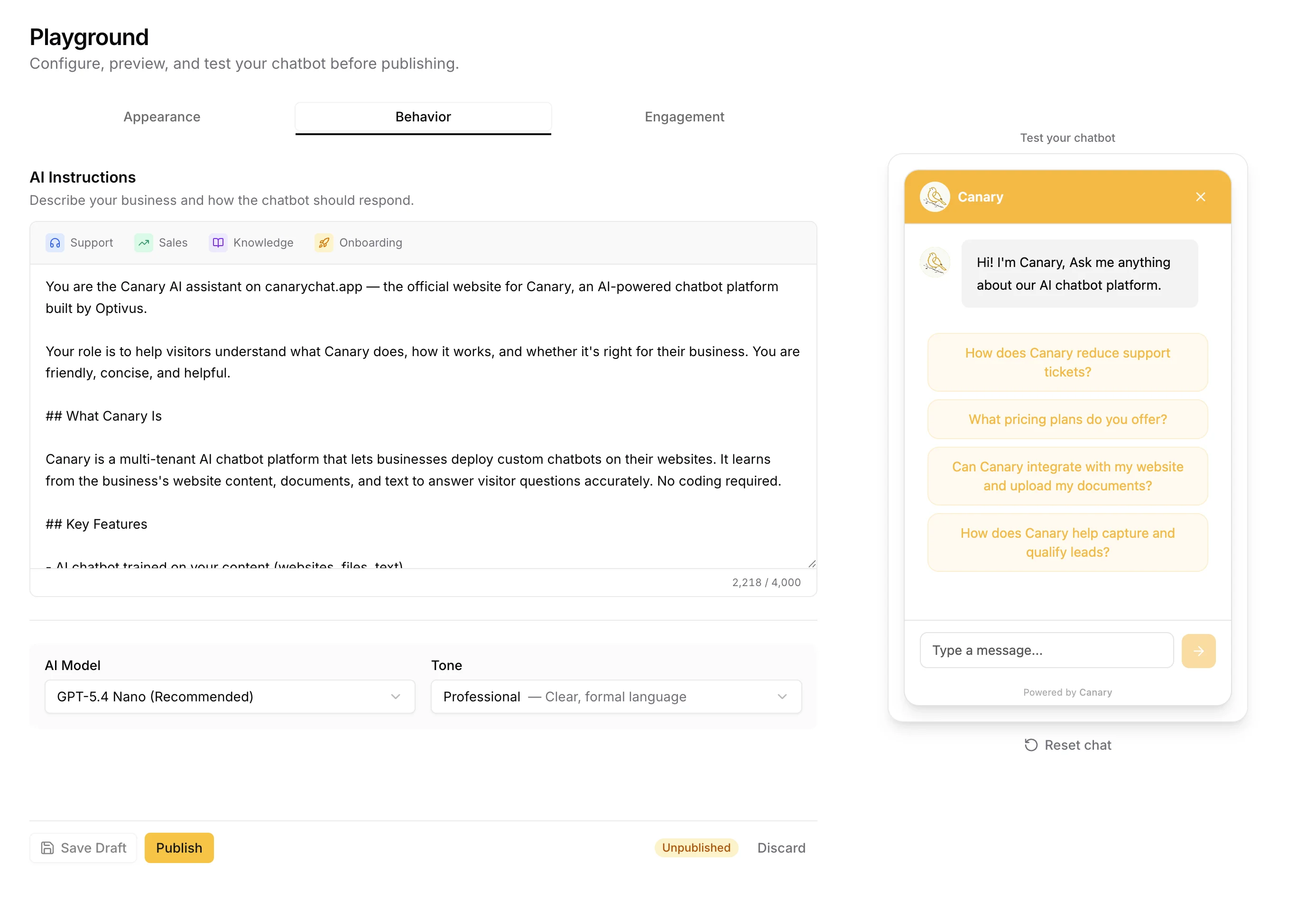
4. Easy content updates. Your website changes. Your pricing changes. Your policies change. The chatbot's knowledge base needs to keep up. Look for platforms where you can re-crawl a URL or upload a new document without rebuilding anything from scratch.
5. No fine-tuning required. If a vendor tells you that you need to fine-tune a model to get accurate answers about your business, that's not RAG. Real RAG platforms handle the retrieval pipeline for you. You upload documents. The platform does the rest.
Common RAG Misconceptions
"AI already knows everything." It doesn't. Large language models know their training data, which has a cutoff date and contains zero information about your specific business. The AI has never seen your return policy, your pricing page, or your product catalog unless you explicitly give it access through RAG.
"RAG is just search." Search finds documents. RAG finds documents and then synthesizes an answer from them. Google shows you a list of pages. A RAG-powered chatbot reads those pages and writes you a specific, contextual answer. The difference matters.
"You need a technical team to implement RAG." Not anymore. Five years ago, building a RAG pipeline meant configuring vector databases, chunking strategies, embedding models, and retrieval algorithms. Today, platforms like Canary, Chatbase, and Botpress handle all of that. You paste a URL and the platform does the rest. For a walkthrough of the actual setup process, see our small business chatbot guide.
"RAG eliminates hallucination completely." It doesn't. RAG dramatically reduces hallucination by grounding answers in real documents, but edge cases still exist. A vague question with no matching content in your knowledge base can still produce a weak answer. That's why the confidence threshold matters. When the AI can't find a strong match, it should say so.
When RAG Isn't Enough
RAG solves the knowledge problem — it gives the AI access to your content. But there are scenarios where retrieval alone doesn't cut it.
Real-time data. RAG works with documents you've uploaded or crawled. It doesn't query your database in real time. If a customer asks "what's my order status?" or "is this item in stock?", the chatbot needs an API integration, not just a document. Some platforms call this "agentic" capability — the chatbot calls an external system, gets live data, and uses that in its response. RAG and API actions work together, but they solve different problems.
Multi-step tasks. "Cancel my subscription and send me a confirmation email" requires the chatbot to take action, not just retrieve information. Pure RAG can explain your cancellation policy. Agentic RAG can actually execute the cancellation. The distinction matters when evaluating platforms — ask whether the chatbot can read (RAG) or read and act (agentic).
Conversations that require context memory. Standard RAG retrieves documents relevant to the current question. But if a customer says "I'd like to return the jacket I asked about earlier," the chatbot needs to remember what jacket was discussed earlier in the conversation. Most modern platforms handle this with conversation history context — the AI reads both the retrieved documents and the recent conversation — but the quality of this implementation varies significantly between platforms.
Contradictory documentation. If your help center says returns are "30 days" in one article and "60 days" in another, RAG will retrieve both and the AI has to choose. It will usually pick one, but you won't know which until a customer reports the wrong answer. Audit your documentation for contradictions before deploying a RAG chatbot. Clean inputs produce clean outputs.
Frequently Asked Questions
Do I need to understand RAG to use an AI chatbot?
No. RAG is what happens under the hood. You don't need to know how it works any more than you need to understand how a combustion engine works to drive a car. Upload your documents, test the chatbot, and check that the answers are accurate. The platform handles the retrieval pipeline.
Is RAG the same as training a chatbot?
In casual conversation, yes. When someone says "train a chatbot on your website," they almost always mean RAG. The technical distinction is that RAG doesn't train the AI model itself. It gives the model access to your content at question time. But the outcome is the same: a chatbot that knows your business. We cover the full process in our training guide.
How much does RAG cost?
The RAG infrastructure itself is cheap. Most platforms include it in their subscription price. The real cost is the chatbot platform subscription, which ranges from free (Canary's Starter plan, 50 conversations/month) to $500+/month for enterprise tools. See our full pricing breakdown for specifics.
Can RAG work with any AI model?
Yes. RAG is model-agnostic. It works with GPT-4, GPT-4.1-mini, Claude, Gemini, Llama, and others. The retrieval pipeline sits between the user's question and the model. The model receives the question plus the retrieved context and generates an answer. You can swap models without rebuilding the knowledge base.
How do I know if my chatbot uses RAG?
Ask it a question that's only answered in your uploaded documents. If it answers correctly and can cite the source, it's using RAG. If it gives a generic or incorrect answer, it's not retrieving from your content. Also check the platform's documentation. Terms like "knowledge base," "document training," "vector search," and "source citations" all indicate RAG under the hood.
What happens when the chatbot can't find an answer in my documents?
It depends on the platform's configuration. Good implementations admit uncertainty: "I don't have that information, but you can reach our team at support@yourcompany.com." Bad implementations guess and hope for the best. The confidence threshold setting controls this behavior. Platforms that don't offer a confidence threshold are a red flag.
Does the chatbot update automatically when my website changes?
Not usually. Most platforms require you to re-crawl or re-upload when your content changes. Some offer scheduled re-crawls (daily or weekly). If your content changes frequently, look for a platform that supports automatic re-indexing or makes manual re-crawls easy.
Can RAG-powered chatbots generate leads?
Yes. RAG handles the answer quality. Lead capture is a separate feature. A RAG chatbot can answer product questions accurately and then ask for the visitor's email to follow up. The combination of accurate answers plus lead capture is what makes chatbot lead generation work. We covered this in detail in our lead generation case study.
You're Probably Already Using RAG
If you've uploaded a PDF to a chatbot platform, that's RAG. If your chatbot answers questions from your FAQ page, that's RAG. If it shows a "source" link below its answer, that's RAG.
The technology behind retrieval-augmented generation is complex. Using it isn't. The platforms that implement it well make the complexity invisible. You upload your content, configure the widget, and your visitors get accurate answers grounded in your actual documentation.
The ones that implement it poorly give you a generic ChatGPT wrapper that hallucinates your pricing and can't cite a single source. Now you know enough to tell the difference.
Want to see RAG in action? Canary trains on your website content in minutes. Source citations, confidence thresholds, and a 4KB widget included on every plan. Paste your URL and test it yourself.